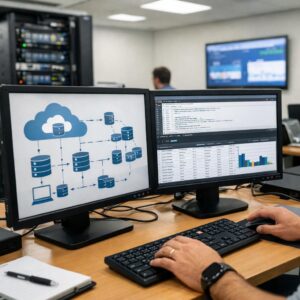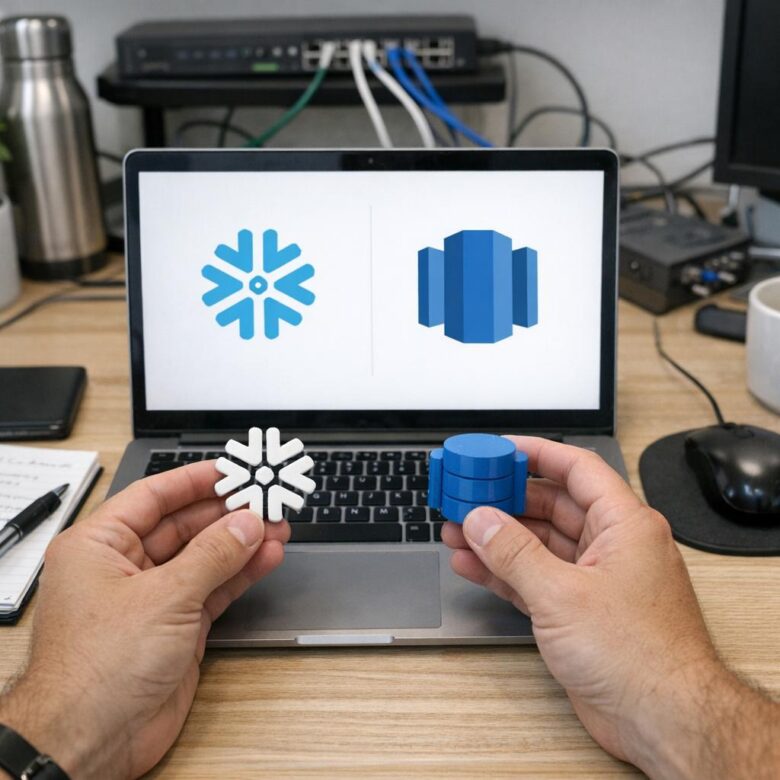
Snowflake and Amazon Redshift can both make continuously generated events available for analytical querying, but they use different ingestion objects, transformation patterns, scaling controls, cloud integrations, and operational responsibilities.
The selection should begin with the required end-to-end latency, existing streaming infrastructure, transformation complexity, concurrency, recovery model, data locations, team skills, and complete cost of ingestion and querying.
Snowflake may fit organizations that need cloud flexibility, independent compute for several workloads, direct application ingestion, and declarative transformation pipelines. Amazon Redshift may fit AWS-centered environments already using Kinesis, Amazon MSK, IAM, VPC networking, AWS monitoring, and related analytics services. Neither should be selected without measuring the complete event-to-dashboard path.
The phrase “real-time analytics” is frequently used for systems with very different expectations. One team may need a fraud signal within a few seconds, while another considers a dashboard refreshed every five minutes sufficiently current.
This distinction matters because loading an event into a warehouse is only one part of the latency. The event may still need to be parsed, validated, deduplicated, joined, aggregated, published into a serving model, queried, and displayed by a business-intelligence tool.
There Is No Universal Winner
Snowflake may fit better when
Producers operate across several clouds or application environments, teams need separate compute resources, data sharing is important, direct SDK or REST ingestion is desirable, and SQL-based transformations can use dynamic tables, streams and tasks, or materialized views.
Redshift may fit better when
Streaming already uses Kinesis or Kafka within an AWS operating model, IAM and VPC integration are priorities, teams want direct ingestion into a Redshift materialized view, and the wider data platform relies heavily on AWS administration and observability.
A warehouse is not always the correct real-time decision engine
When an application must block a fraudulent payment, stop equipment, authorize a transaction, or respond within a strict sub-second limit, a stream processor or operational serving system may need to make the immediate decision. The warehouse can still provide historical features, investigation, monitoring, model development, and near-real-time reporting.
Define the Latency Budget Before Comparing Platforms
Measure each stage separately. A warehouse may make a record queryable quickly while a downstream dynamic table, materialized view, dashboard extract, or semantic model adds several more minutes.
Typical latency
Shows normal operating performance but can hide serious delays during traffic spikes, maintenance, or recovery.
High-percentile latency
Reveals the experience of slower events and is usually more useful for operational service objectives.
Oldest unprocessed event
Detects stuck partitions, channels, refreshes, malformed records, paused consumers, and hidden backlogs.
Current Streaming Architecture on Each Platform
- Offset tokens can support ordered, exactly-once ingestion within each channel.
- Several channels can feed the same target table for parallelism.
- Ordering is maintained within a channel, not globally across all channels.
- The high-performance path is insert-oriented; updates and deletes require downstream processing.
- Streaming ingestion avoids an intermediate S3 staging step.
- The first streaming materialized view must remain incrementally maintainable.
- Joins are not performed directly in the first materialized view over the stream.
- A downstream materialized view can join the ingested stream with other relations.
Side-by-Side Comparison
| Decision Area | Snowflake | Amazon Redshift | What to Test |
|---|---|---|---|
| Primary low-latency ingestion | Snowpipe Streaming through supported SDKs or the REST API, using PIPE objects and channels. | Streaming ingestion from Kinesis or supported Kafka sources into a materialized view. | End-to-end latency, sustained throughput, traffic spikes, retry behavior, and operational complexity. |
| Cloud alignment | Available across supported commercial Snowflake deployments on AWS, Azure, and Google Cloud. | Deeply integrated with the AWS identity, network, monitoring, Kinesis, MSK, S3, and analytics ecosystem. | Data-transfer paths, support model, regional availability, and existing team skills. |
| Kafka-oriented ingestion | Can use Kafka integrations or custom producers that write through Snowpipe Streaming. | Can consume from Amazon MSK, supported Apache Kafka deployments, and documented Kafka-compatible sources through an external schema. | Authentication, partition mapping, offsets, network reachability, failover, and replay. |
| Kinesis alignment | Usually requires an application, connector, or integration layer to send events into Snowpipe Streaming. | Provides direct Kinesis streaming ingestion into a Redshift materialized view. | Whether keeping the ingestion and identity path entirely inside AWS reduces real operating work. |
| Delivery progress | Channels and offset tokens help clients track committed progress and resume ingestion. | Materialized-view refresh consumes available records from stream shards or Kafka partitions. | Duplicates, replay, consumer restart, partial failure, and source-retention exhaustion. |
| Immediate transformation | PIPE definitions can apply supported in-flight transformations before target-table insertion. | The streaming materialized view can parse and convert data, but complex parsing may increase ingestion latency. | Schema changes, malformed events, transformation cost, and error recovery. |
| Multi-table transformation | Dynamic tables suit declarative SQL pipelines; streams and tasks provide procedural control. | Additional materialized views, SQL transformations, stored procedures, scheduled jobs, or external processing can build serving tables. | Freshness after joins, incremental behavior, refresh dependency, and backfill handling. |
| Sub-minute transformation | Dynamic tables have a minimum target lag of one minute; streams and tasks or another processing layer are needed for different sub-minute logic. | Depends on streaming MV refresh behavior, compute availability, transformation complexity, and downstream refreshes. | Measure actual business-table freshness rather than only raw-event arrival. |
| Compute isolation | Separate virtual warehouses can isolate ingestion support, transformation, BI, data science, and ad hoc querying. | Provisioned clusters, Serverless workgroups, WLM, priorities, concurrency features, and separate workgroups can manage workloads. | Whether heavy transformations or analyst queries delay operational dashboards. |
| Concurrency scaling | Warehouse resizing or eligible multi-cluster warehouses can add capacity for concurrent queries. | Provisioned and Serverless options provide different automatic workload and scaling mechanisms. | Peak dashboard concurrency, queue time, individual-query runtime, and cost. |
| Operational ownership | The team manages producers, channels, offsets, pipes, transformation objects, warehouses, and monitoring. | The team manages stream permissions, external schemas, materialized-view refresh, parsing, compute, WLM, and monitoring. | Which architecture the organization can operate continuously without vendor-specific knowledge gaps. |
| Best overall fit | Often attractive for cloud-flexible and independently scaled analytical estates. | Often attractive for AWS-native streaming and analytics environments. | A production-like proof of concept remains necessary. |
Snowflake Streaming: Strengths and Design Considerations
Channel-based progress
Long-lived channels provide a defined path for ordered ingestion and offset tracking, supporting recovery without treating every retry as a new event.
Server-side pipe definition
The PIPE object controls the target and can apply supported transformations or pre-clustering behavior during ingestion.
Independent compute
Separate virtual warehouses help prevent BI, transformation, engineering, and data-science workloads from sharing one fixed compute pool.
Several transformation models
Teams can choose declarative dynamic tables, procedural streams and tasks, standard tables, or materialized views according to the pipeline requirement.
Concurrency options
Eligible multi-cluster warehouses can add clusters when concurrent query demand grows, subject to edition and configuration.
Channel observability
Channel-history views and status APIs can expose state, committed offsets, progress, and ingestion health.
Important Snowflake considerations
- Exactly-once behavior depends on correct management of channels and source offsets.
- Ordering is guaranteed within one channel rather than across every parallel channel.
- Inactive channels and their offset state should not be treated as permanent external checkpoints.
- The ingestion target is insert-oriented, so CDC updates and deletes need an appropriate downstream pattern.
- Sudden traffic spikes can temporarily increase latency while the service expands capacity.
- Dynamic tables simplify many SQL pipelines but are not the correct tool for every sub-minute, procedural, or complex upsert requirement.
- Separate warehouses improve isolation while also creating additional cost and configuration decisions.
Dynamic tables do not make the raw stream instantly business-ready
Their target lag begins at one minute, and the complete dependency graph may add further latency. Measure the age of the final customer, fraud, operations, or reporting table—not only the timestamp at which the raw event entered Snowflake.
Amazon Redshift Streaming: Strengths and Design Considerations
Direct Kinesis integration
Redshift can consume Kinesis Data Streams without first staging the event files in Amazon S3.
Kafka ingestion
Supported Kafka sources can be referenced through an external schema and ingested into a streaming materialized view.
AWS identity alignment
IAM roles, VPC design, CloudWatch, CloudTrail, Kinesis, MSK, and related services can remain within one operating ecosystem.
Materialized landing layer
Stream records land in a queryable materialized view that can serve as the first durable analytical representation.
Provisioned or Serverless
Teams can use a provisioned data warehouse or Redshift Serverless according to workload predictability and operating preferences.
Workload control
Workload management and priorities help prevent short operational queries from waiting behind long analytical work.
Important Redshift considerations
- AWS recommends one primary streaming materialized view for each source stream or topic in normal designs.
- Creating several consumers for the same stream can increase cost or create source throttling.
- The initial streaming materialized view does not support joins directly against other relations.
- A downstream materialized view can join the streaming result with tables or other views.
- Refresh activity consumes resources and can interact with user-query demand.
- Source retention must be long enough to survive outages and process accumulated backlog.
- Repeated JSON text extraction can add parsing overhead; a semi-structured representation may be more efficient.
AUTO REFRESH still requires capacity planning
Automatic refresh does not guarantee a fixed event-to-query delay. Refresh priority, incoming volume, shard or partition count, parsing, compute capacity, other SQL workloads, and downstream transformations all affect freshness.
Raw Ingestion and Business-Ready Data Are Different Layers
Both products can make an incoming record queryable before it is suitable for business use. A raw event may still contain duplicate deliveries, missing identifiers, evolving schemas, out-of-order timestamps, late arrivals, invalid values, or references to dimensions that have not yet arrived.
Raw streaming layer
Preserves source event, source timestamp, ingestion timestamp, partition or channel information, event ID, payload, schema version, and error metadata.
Business serving layer
Applies deduplication, validation, governed keys, event-time logic, joins, enrichment, metrics, security, retention, and a documented freshness objective.
Exposing raw streaming objects directly to executive dashboards can produce unstable definitions, expensive parsing, duplicated totals, and confusing changes when event schemas evolve.
Handling JSON and Semi-Structured Events
Streaming payloads frequently arrive as JSON, Avro, Protobuf, or another semi-structured format. Decide whether parsing will occur in the producer, stream processor, ingestion layer, or downstream warehouse transformation.
| Parsing Strategy | Advantage | Risk | Suitable Use |
|---|---|---|---|
| Producer creates typed columns | Reduces warehouse parsing and exposes a stable contract. | Couples producers more tightly to downstream analytical requirements. | Well-governed event schemas with controlled producer releases. |
| Ingestion applies light transformation | Rejects or standardizes obvious problems before broad use. | Heavy logic can increase ingestion latency and complicate recovery. | Basic casting, metadata enrichment, routing, and validation. |
| Raw semi-structured landing | Preserves new attributes and supports reprocessing. | Repeated dashboard parsing can become expensive and inconsistent. | Landing layer followed by governed typed tables. |
| External stream processing | Can handle windows, state, event time, deduplication, and complex routing before the warehouse. | Adds another runtime, deployment, checkpoint, and monitoring layer. | Strict real-time logic or transformations unsuitable for warehouse refresh cycles. |
Do not silently discard malformed records
Quarantine invalid events with their source, event ID, schema version, failure reason, payload reference, and retry status. A pipeline that appears fast because errors disappear can produce incomplete business reporting.
Delivery, Ordering, and Deduplication
| Requirement | Design Question | Safer Control |
|---|---|---|
| Unique event identity | Can the same business event be recognized after a retry or replay? | Use a stable producer event ID or governed composite key. |
| Source progress | How does the consumer know which offset, sequence, or event was committed? | Persist and monitor source offsets, channel tokens, shard progress, or partition progress. |
| Ordering | Is order required globally, per customer, per device, per account, or only within a partition? | Partition events according to the required ordering key and document the scope. |
| Late events | Can an older event arrive after a newer event has already been processed? | Maintain event time, ingestion time, watermark rules, and controlled historical corrections. |
| Replay | Can the pipeline rebuild a period after incorrect logic or a destination outage? | Preserve adequate source retention or an immutable replay store. |
| Poison records | Can one malformed message stop progress for an entire partition or refresh? | Use error isolation, quarantine, alerting, and an approved skip or repair procedure. |
| Business idempotency | Can processing one event twice create duplicate revenue, alerts, payments, or cases? | Make downstream writes idempotent and reconcile consequential actions. |
Illustrative Snowflake Transformation Pattern
The following simplified example shows a dynamic table that keeps a typed event layer close to a raw Snowflake table. Confirm current syntax, supported expressions, target lag, and refresh behavior before production use.
CREATE OR REPLACE DYNAMIC TABLE analytics.order_events_current
  TARGET_LAG = '1 minute'
  WAREHOUSE = streaming_transform_wh
  REFRESH_MODE = INCREMENTAL
AS
SELECT
    payload:event_id::STRING       AS event_id,
    payload:order_id::STRING       AS order_id,
    payload:customer_id::STRING    AS customer_id,
    payload:event_type::STRING     AS event_type,
    payload:event_time::TIMESTAMP  AS event_time,
    payload:amount::NUMBER(18, 2)  AS amount,
    ingestion_time
FROM raw.order_events
WHERE payload:event_id IS NOT NULL;
A production implementation still needs deduplication, schema-version handling, late-event logic, invalid-record routing, security controls, monitoring, and reconciliation.
Illustrative Redshift Streaming Pattern
This simplified structure shows the relationship between an external stream schema and a streaming materialized view. The actual authentication, source, data type, JSON path, refresh, and permissions depend on the environment.
CREATE EXTERNAL SCHEMA stream_source
FROM KINESIS
IAM_ROLE 'arn:aws:iam::123456789012:role/redshift-stream-role';

CREATE MATERIALIZED VIEW raw.order_event_stream
AUTO REFRESH YES
AS
SELECT
    approximate_arrival_timestamp,
    partition_key,
    shard_id,
    sequence_number,
    JSON_PARSE(from_varbyte(kinesis_data, 'utf-8')) AS payload
FROM stream_source."order-events";
A second materialized view or transformation table can parse the semi-structured payload, join reference data, apply business rules, and publish a stable serving model.
Compute and Concurrency
Streaming ingestion and interactive querying create different resource patterns. Ingestion is continuous, transformation may be periodic or incremental, and dashboard traffic may arrive in bursts.
| Workload | Snowflake Direction | Redshift Direction | Measurement |
|---|---|---|---|
| Continuous ingestion | Snowpipe Streaming service and producer-side clients, with warehouse compute used for downstream transformations and queries. | Streaming MV refresh executes within the provisioned cluster or Serverless workgroup. | Commit or refresh latency, backlog, malformed events, and resource consumption. |
| Incremental transformation | Dedicated warehouse for dynamic tables, tasks, MERGE logic, or scheduled processing. | WLM or separate workgroup/cluster for refresh and transformation workloads. | Transformation lag, queue time, execution time, and refresh failures. |
| Interactive BI | Dedicated warehouse, with resizing or eligible multi-cluster configuration for concurrency. | Automatic WLM, concurrency controls, provisioned capacity, or Serverless scaling. | Dashboard latency, query queueing, throughput, spill, and cost. |
| Data science and ad hoc SQL | Separate warehouse and role-based limits. | Separate queue, workgroup, cluster, priority, or workload controls. | Whether exploratory queries affect operational reporting. |
| Traffic spike | Monitor ingestion elasticity, channel throughput, transformation capacity, and warehouse concurrency. | Monitor Kinesis shards or Kafka partitions, MV refresh, RPU or cluster capacity, and WLM. | Oldest event age, P95 freshness, source throttling, and queue depth. |
Scale-up and scale-out address different bottlenecks
More compute may accelerate one expensive transformation. Additional clusters, workgroups, queues, or isolated resources may be more useful when many dashboard users or pipelines compete simultaneously.
Compare the Complete Cost, Not One Price
Streaming cost is distributed across several services and teams. A lower ingestion charge does not guarantee a lower operating cost when transformation, network transfer, support, monitoring, and downstream querying are included.
Kafka infrastructure, Confluent service, Kinesis shards, enhanced throughput, retention, replication, and cross-region traffic.
Snowpipe Streaming service consumption or Redshift capacity used to refresh and process streaming materialized views.
Warehouses, Serverless capacity, clusters, tasks, dynamic tables, materialized views, compaction, and historical backfills.
Dashboard compute, concurrency scaling, multi-cluster operation, cache behavior, extracts, and repeated queries.
Raw events, typed tables, aggregates, replay data, stream retention, backups, time travel, and disaster recovery.
Platform engineering, connector maintenance, incident response, schema governance, observability, security, and specialist support.
Useful cost metrics
- Cost per million accepted events
- Cost per gigabyte of uncompressed source data
- Cost per business-ready event after transformation
- Cost per dashboard query or active user
- Idle or minimum-capacity cost
- Cost of replaying a representative historical period
- Cost during normal traffic and peak traffic
- Engineering hours required each month
Do not calculate cost from a short, steady test only
Include burst traffic, malformed records, source replay, downstream backfills, dashboard concurrency, scaling delays, maintenance, and the cost of keeping enough source history to recover from an extended outage.
Security, Governance, and Data Location
| Governance Area | Questions for Both Platforms |
|---|---|
| Producer identity | Which application, connector, role, service account, or workload may write to each stream or pipe? |
| Data classification | Can personal, financial, health, authentication, or proprietary fields enter the stream unexpectedly? |
| Network path | Which public, private, peered, cross-account, cross-cloud, or cross-region connections are used? |
| Region and transfers | Where are brokers, ingestion services, warehouses, logs, backups, support teams, and downstream consumers located? |
| Schema ownership | Who approves field additions, removals, meaning changes, enum changes, and backward compatibility? |
| Consumer access | Can BI users query raw personal or sensitive payloads, or only governed serving tables? |
| Retention and deletion | How do source retention, raw warehouse data, transformed tables, caches, backups, and legal requirements interact? |
| Audit evidence | Can the organization reconstruct producer changes, permissions, failed events, schema versions, refreshes, and data releases? |
For customer information, the streaming architecture should be included in the organization’s privacy inventory and international-transfer review.
A Production-Like Proof of Concept
Define the business freshness objective
Specify how old the final usable data may be during normal operation, peak traffic, recovery, and downstream dashboard refresh.
Use representative event volume and size
Include normal traffic, peak bursts, large records, small records, uneven partitions, and realistic compression.
Test the actual source
Use the intended Kafka, Kinesis, application producer, connector, network, region, and authentication path.
Apply real transformations
Include parsing, deduplication, joins, late events, validation, security filtering, and the business metrics required by consumers.
Run production-like queries concurrently
Simulate dashboards, scheduled reports, ad hoc analysts, transformations, and data-science activity occurring together.
Introduce failures deliberately
Stop producers, interrupt networks, restart consumers, pause compute, inject invalid records, change schemas, and exceed expected traffic.
Replay a historical period
Confirm that source offsets, tokens, retention, deduplication, and downstream corrections can rebuild the intended state.
Measure complete cost and labor
Include every cloud service, warehouse, stream, network path, storage copy, monitoring tool, and engineering activity.
Ask independent users to query the result
Validate that analysts can understand the schema, trust the freshness, identify incomplete periods, and use the data without exposing raw complexity.
Proof-of-Concept Scorecard
| Metric | Normal Operation | Peak Operation | Recovery Test |
|---|---|---|---|
| Raw ingestion P95 latency | Time from source publication to warehouse visibility. | Measure during the expected maximum event burst. | Measure while processing accumulated backlog. |
| Business-ready P95 latency | Time until the governed serving table reflects the event. | Include joins, deduplication, and aggregate refresh. | Confirm correct historical reconstruction. |
| Event completeness | Accepted, rejected, quarantined, and duplicated records. | Check throttling and malformed-record behavior. | Reconcile source counts after replay. |
| Dashboard performance | Latency and query queueing under ordinary users. | Measure concurrent dashboard and transformation demand. | Confirm recovery work does not make reports unusable. |
| Cost | Ingestion, transformation, storage, querying, and monitoring. | Include automatic or manual scaling. | Include extra compute and source retention. |
| Operational effort | Routine monitoring, deployment, and schema management. | Incident triage and capacity changes. | Replay, reconciliation, and corrective publishing. |
Hypothetical Scenarios
A multi-cloud SaaS company with Kafka-based product events
The company runs services in more than one cloud and already standardizes events through Kafka. Product, support, finance, and data-science teams need independent analytical compute and governed data sharing.
Snowflake may deserve stronger consideration because applications or connectors can write through Snowpipe Streaming while separate virtual warehouses isolate transformation, product analytics, finance reporting, and experimentation.
The proof of concept should still test channel partitioning, offset recovery, schema evolution, transformation lag, cross-cloud networking, warehouse concurrency, and total cost.
An AWS retailer already using Kinesis for order events
Order, inventory, payment, and fulfillment events already enter Kinesis. Operations dashboards, investigation queries, and QuickSight reports use AWS identities and private networking.
Redshift may reduce integration work by consuming Kinesis directly into a streaming materialized view and keeping identity, networking, monitoring, and analytics within the existing AWS operating model.
The test should evaluate materialized-view refresh latency, shard scaling, JSON parsing, downstream joins, workload management, Serverless or provisioned capacity, and recovery after an extended consumer outage.
A payment system that must decline fraud in milliseconds
Neither analytical warehouse should be assumed to sit directly inside the synchronous payment authorization path without a separate architecture review.
A stream-processing or operational decision service may calculate the immediate risk response. Snowflake or Redshift can receive the resulting events for monitoring, feature development, historical analysis, investigation, regulatory evidence, and near-real-time dashboards.
Common Selection Mistakes
The final table or dashboard may remain several refresh stages behind the raw event.
Seconds, one minute, five minutes, and fifteen minutes require different designs and costs.
A pipeline may work normally but fail to recover when offsets or retained events are no longer available.
Producer retries, changed event IDs, replays, downstream joins, and business actions can still create duplication.
Complex parsing and enrichment can increase latency and make malformed events harder to isolate.
Dashboards repeatedly parse events and inherit unstable schemas and unclear business definitions.
Real streams may contain hot customers, devices, accounts, shards, or partitions that create skew.
Continuous refreshes, BI, backfills, and exploratory SQL can delay one another without isolation.
Existing cloud alignment helps, but the actual pipeline must still satisfy latency, reliability, governance, and cost requirements.
Specialist labor, incidents, schema changes, monitoring, and recovery can materially affect total cost.
A current warehouse table does not help when the BI model, cache, or extract refreshes much later.
A fast pipeline can still omit or duplicate revenue, payments, customers, alerts, and operational events.
Final Selection Checklist
- The end-to-end freshness objective is numerical
- Raw and business-ready latency are measured separately
- The actual Kinesis, Kafka, or producer path was tested
- Normal, peak, and recovery volumes are represented
- Unique event identity is defined
- Ordering requirements have a documented scope
- Replay and offset recovery have been tested
- Source retention covers the recovery objective
- Malformed events enter a governed quarantine
- Schema changes have compatibility rules
- Late events and historical corrections are supported
- Raw ingestion is separated from serving models
- Downstream joins and aggregates meet the freshness target
- BI refresh behavior is included in measurements
- Interactive queries are protected from heavy processing
- Security and network paths match policy
- Data regions and international access are mapped
- Operational monitoring detects stuck consumers
- Cloud and staffing costs are included
- The architecture can be operated by the available team
- Business totals reconcile after replay
- The choice has been reviewed using current vendor documentation
Final Perspective
Snowflake and Amazon Redshift are both capable platforms for near-real-time analytical workloads, but they should not be treated as interchangeable implementations of one architecture.
Snowflake uses Snowpipe Streaming channels and PIPE objects to accept continuous application data, then offers several options for incremental transformation and independently scaled query compute.
Amazon Redshift connects Kinesis or supported Kafka sources to streaming materialized views and may reduce integration effort when the surrounding data, identity, networking, monitoring, and operational model already reside in AWS.
The correct decision depends less on a generic vendor ranking than on where events originate, how quickly the final business table must update, which transformations are required, how failures are replayed, how many users query concurrently, where data may travel, and what the complete system costs to operate.
For guidance on designing the downstream analytical serving layer, read Senawe’s article about structuring cloud data warehouses for high-speed BI querying .
For privacy controls across global pipelines, see ensuring GDPR compliance when processing customer data .
Frequently Asked Questions
Which platform provides lower streaming latency?
There is no reliable universal answer. Latency depends on the source, producer, channel or partition design, traffic, parsing, refresh behavior, transformations, compute, concurrency, network location, and downstream consumer. Test the complete production-like path.
Is Snowpipe Streaming the same as traditional Snowpipe file loading?
No. Snowpipe Streaming accepts rows through supported streaming interfaces without first requiring the application to create staged data files. Traditional Snowpipe is designed around continuous file ingestion from supported cloud storage.
Does Redshift Streaming Ingestion require Amazon S3?
The direct streaming-ingestion path from Kinesis or a supported Kafka source does not require an intermediate S3 landing file. An organization may still retain a separate replay or archival copy in S3 for other operational reasons.
Can Redshift join streaming data to customer or product tables immediately?
The first materialized view directly over the stream has restrictions and does not support joins. A downstream materialized view or transformation layer can join the ingested streaming result to other Redshift relations.
Can Snowflake dynamic tables provide sub-minute transformations?
Snowflake documents a minimum target lag of one minute for dynamic tables. Workloads requiring different sub-minute processing may need streams and tasks or a separate stream-processing approach, depending on the logic and latency target.
Does exactly-once ingestion guarantee correct business results?
No. It can protect a defined ingestion path from duplicate commits when offsets and channels are handled correctly, but it does not prevent duplicate source events, incorrect business keys, repeated downstream actions, faulty joins, or intentional replay.
Should an AWS company always choose Redshift?
Not automatically. AWS alignment can reduce integration work, but the organization should still compare latency, analytics features, concurrency, multi-cloud needs, operations, team skills, contracts, data sharing, and total cost.
Should a multi-cloud company always choose Snowflake?
Not automatically. Snowflake’s cloud availability may be valuable, but source locations, network costs, contractual requirements, existing AWS infrastructure, transformation patterns, and operating skills can still favor another design.
What is the most important proof-of-concept metric?
Measure the age of data in the final governed table or dashboard used by the business. Raw ingestion latency alone does not show whether the complete analytical workflow meets its objective.
Official Sources and Further Reading
- Snowflake: Snowpipe Streaming Overview
- Snowflake: Snowpipe Streaming High-Performance Architecture
- Snowflake: Channels, Ordering, and Exactly-Once Delivery
- Snowflake: Snowpipe Streaming Best Practices
- Snowflake: Snowpipe Streaming Limitations and Considerations
- Snowflake: Monitoring Snowpipe Streaming Operations
- Snowflake: Dynamic Tables Decision Guide
- Snowflake: Virtual Warehouses Overview
- Snowflake: Multi-Cluster Warehouses
- Amazon Redshift: Streaming Ingestion to a Materialized View
- Amazon Redshift: Streaming Ingestion from Kinesis
- Amazon Redshift: Streaming Ingestion from Kafka Sources
- Amazon Redshift: Refreshing Materialized Views
- Amazon Redshift Serverless: Compute Capacity
- Amazon Redshift: Workload Management
- Amazon Redshift: Monitoring Streaming Scan Errors
Editorial note: This article provides general educational guidance. Platform features, supported sources, regional availability, limits, editions, pricing, SDK behavior, retention, integrations, and performance may change. Validate important decisions with current vendor documentation, contractual terms, production-like testing, cloud billing data, and the appropriate architecture, engineering, security, governance, privacy, finance, and business intelligence specialists.
The Senawe Editorial Team creates practical, research-based content about enterprise AI, robotic process automation, data analytics, digital transformation, and emerging business technologies. Our goal is to make complex technical topics easier to understand while helping professionals evaluate tools, strategies, risks, and implementation decisions with greater confidence.